 Progress
Structure your goals
Break any goal into a clear hierarchy: Project ▸ Milestone ▸ Task ▸ Subtask.
Manage personal goals and projects
A project is a goal you want to reach — "Score 900 on the TOEIC", "Ship my side project", "Run a half marathon". Each project holds its own tasks and shows a single overall progress bar, so you can see the state of the whole goal at a glance. Rename, copy, archive or delete projects as your plans change.
Great for: anyone juggling several long-term goals at once who wants each one tracked separately.
Break a project into concrete tasks
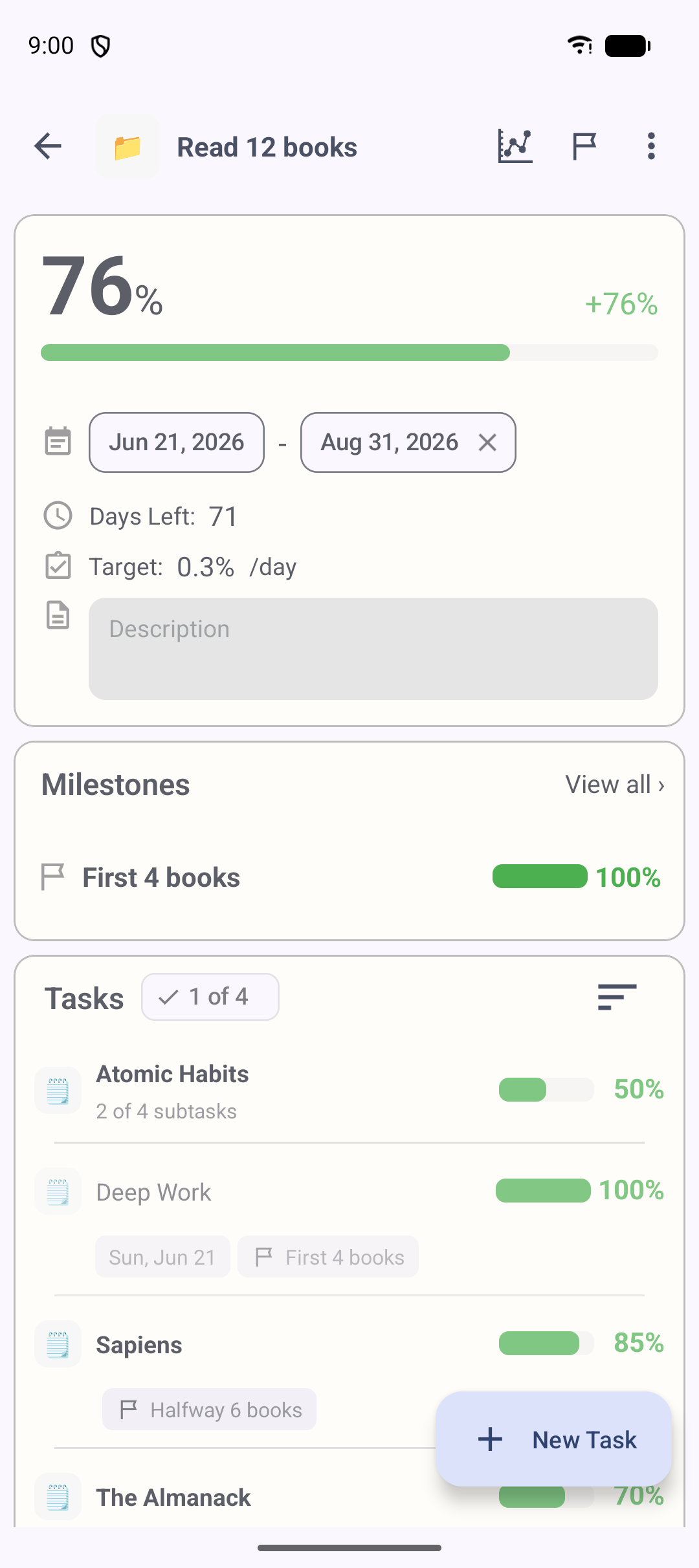
Split a goal into tasks — the concrete things you actually do. Give each task a start date, due date, notes and attachments, then update its progress from 0 to 100%. You can reorder tasks, move them between projects, or capture a "quick task" with no project at all when you just need to jot something down.
Great for: turning a vague, intimidating goal into a list of doable steps.
Break big tasks down further
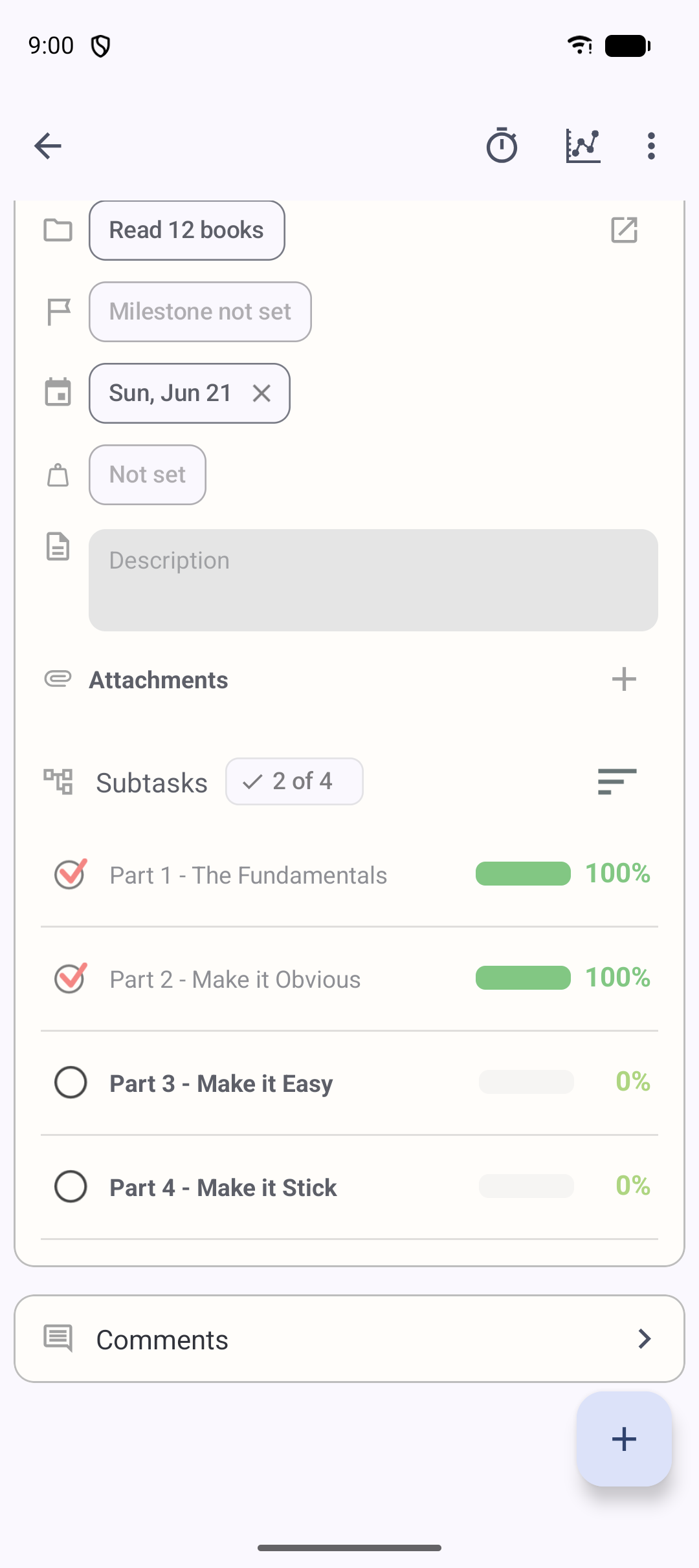
When a task is still too big to start, break it into subtasks — and subtasks can nest inside subtasks. As you complete the small pieces, their progress rolls up into the parent task automatically. The more finely you break work down, the more often your progress bar moves, which keeps momentum visible.
Great for: large, open-ended work like writing a book, learning to code, or exam prep.
Set checkpoints along the way
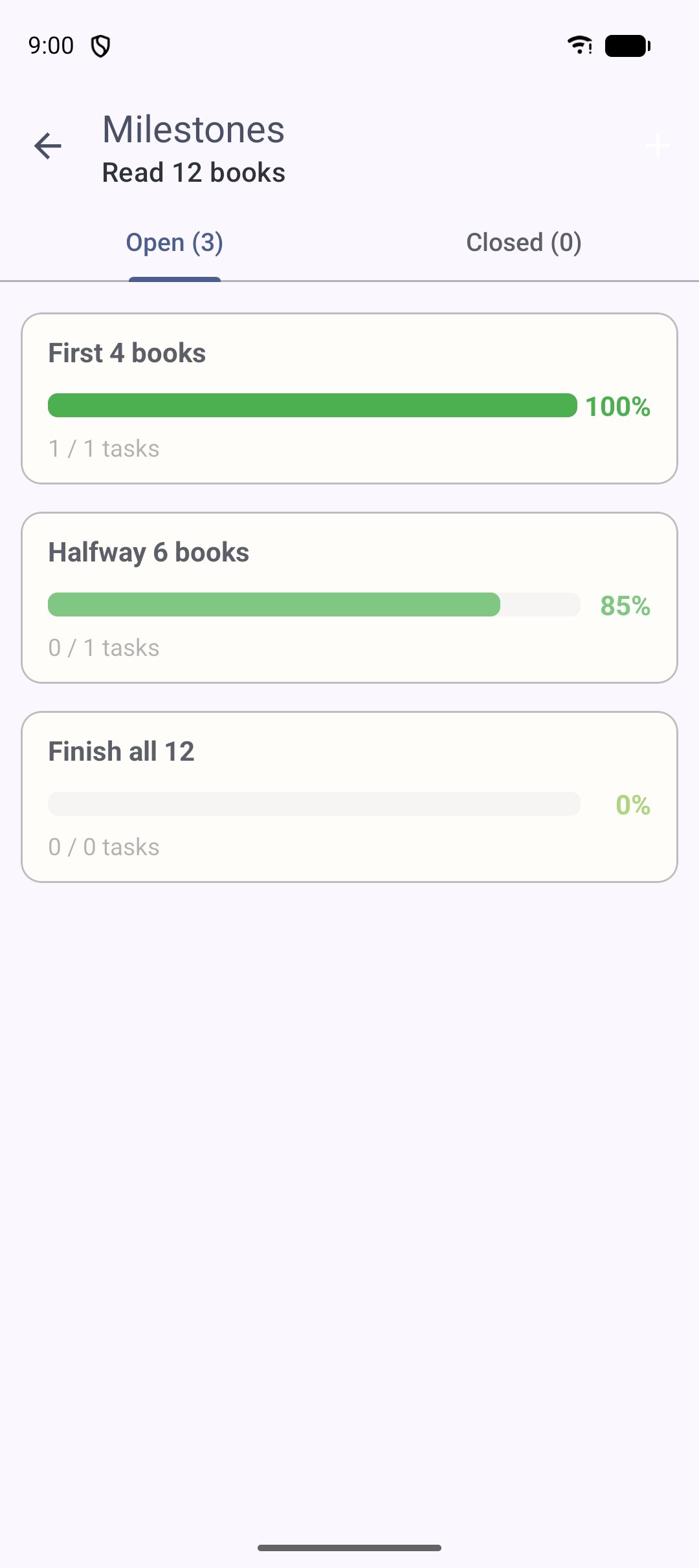
A milestone is a checkpoint inside a project — "Finish one pass of grammar", "First draft complete". Group related tasks under a milestone to see progress toward the next meaningful step, instead of only the distant final goal.
Great for: long projects where the finish line is months away and you need nearer targets.
Measure real progress
The heart of Progress: percentages that add up on their own, and reflect the work that matters.
Watch your progress bar fill automatically
Set a progress percentage (0–100%) for each task with a slider or the +/− buttons, and Progress rolls it up the hierarchy on its own: subtask → task → milestone → project. There's no spreadsheet and no manual math — finishing any small piece moves the overall bar. Tasks that have subtasks are calculated straight from those subtasks.
Great for: anyone who wants a single number for "how far along am I really?"
Make the important work count more
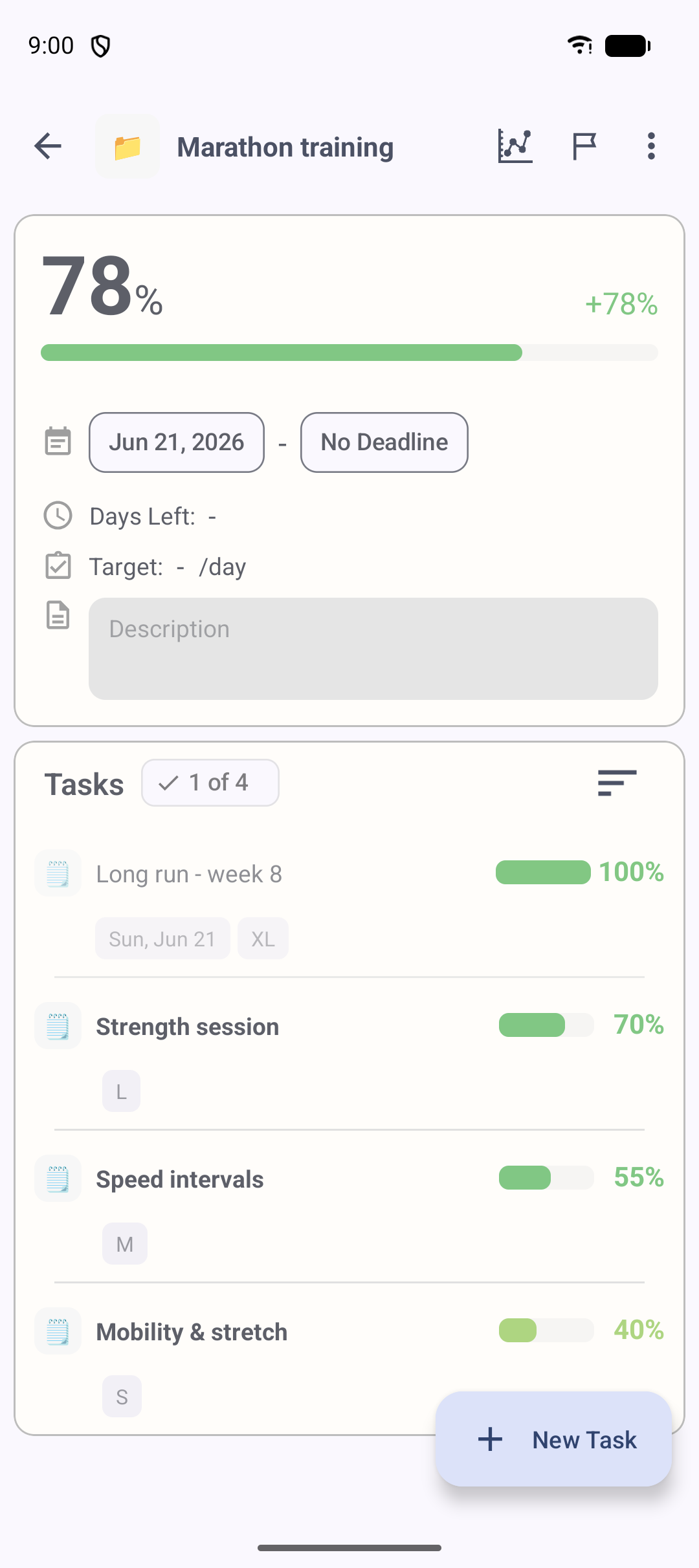
Not every task matters equally. Assign a weight (S, M, L, XL) and your project progress becomes a weighted average, so heavier tasks move the bar more than trivial ones. Your percentage reflects the work that actually matters — not just how many boxes you've ticked.
Great for: study plans and projects where one big task outweighs several small ones.
Stay on schedule
Know not just how far you've come, but whether you'll finish in time.
Know if you're on track or behind
Set a start date and a due date, and Progress calculates the progress you should have reached by today. Compare it with your actual progress and you instantly see whether you're on track or behind — plus a daily target that breaks even a big long-term plan into "today's share". It never shames you for slipping; it just shows where to pick back up.
Great for: deadline-driven goals like exams, certifications and client work.
See exactly what to work on today
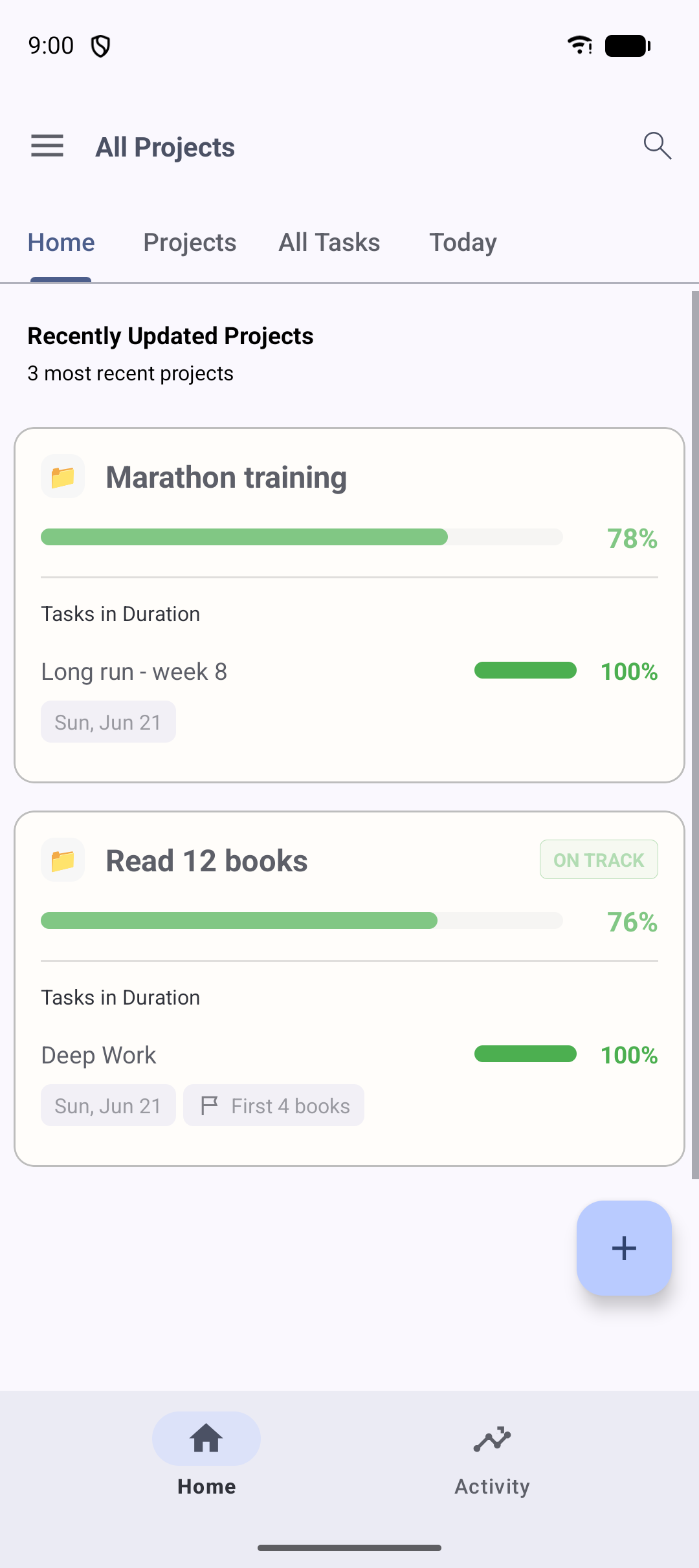
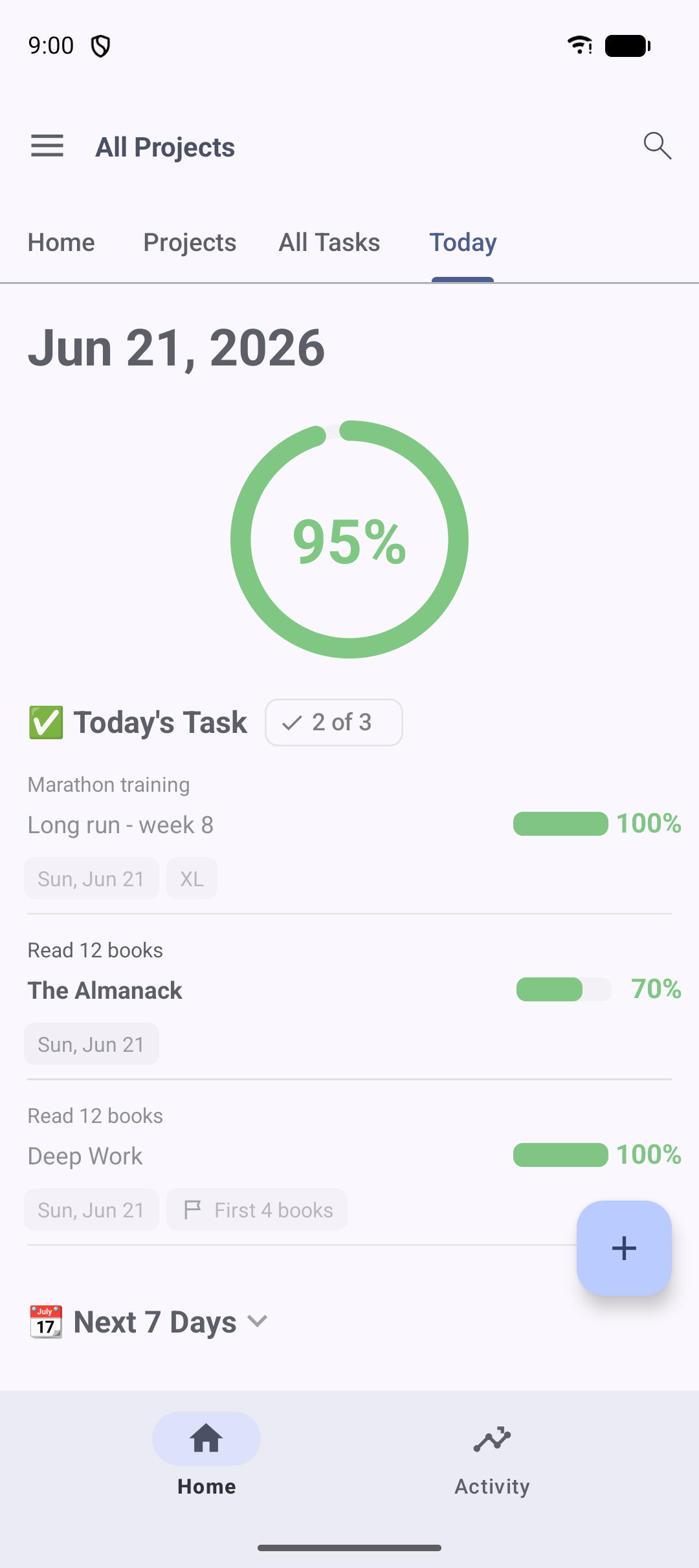
The Today screen sorts your day for you, grouping tasks by deadline into sections like "Today", "Within 7 days" and "Within 30 days". Tap a task to open it and update progress on the spot. It's the screen to open first thing in the morning to decide where to start.
Great for: anyone who wants a daily, low-pressure "what's next?" list.
See the effort
Record the time and consistency behind your progress.
Track the time you put in
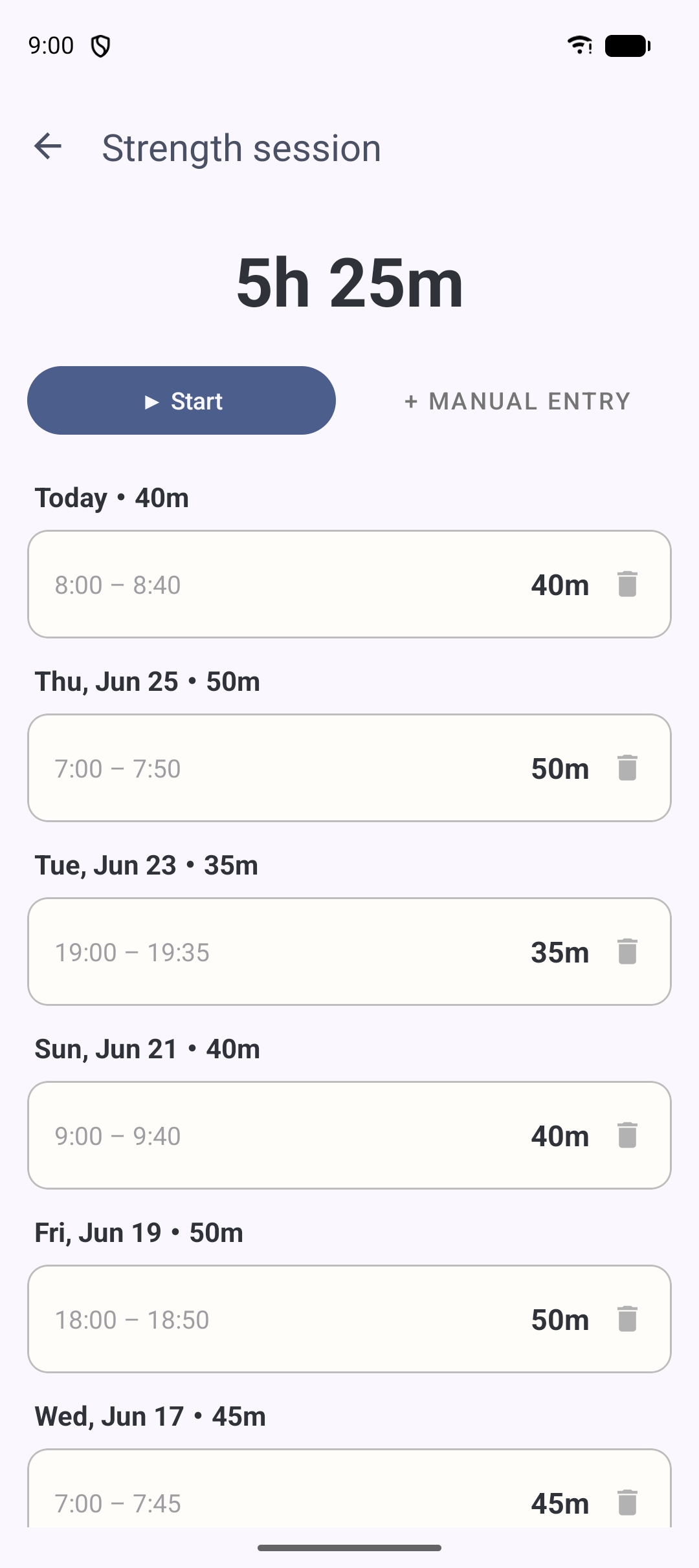
Start a built-in timer on any task or subtask, and a running-timer bar keeps the elapsed time visible until you stop. Forgot to start it? Add time manually by entering the hours, minutes, date and start time. Every session is saved so you can review how much work each goal really took.
Great for: freelancers, students and anyone who wants proof of the hours behind a goal.
See how consistently you've kept at it
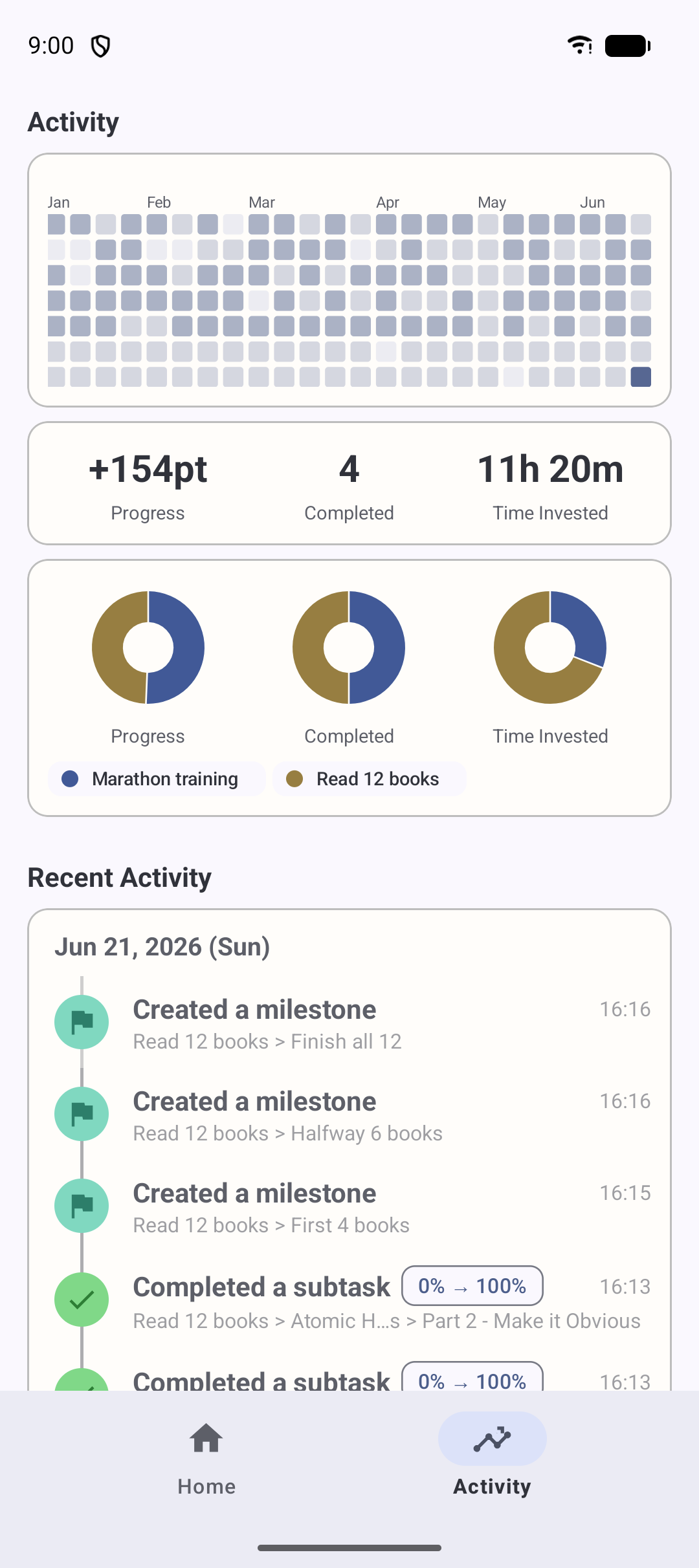
Like a GitHub contribution graph, the activity heatmap shows about the last year of activity as a calendar of squares — busier days are darker. Completing tasks, updating progress, creating tasks and logging time all light it up, so you can see your consistency at a glance and keep your streak alive.
Great for: habit and fitness goals where showing up every day is the point.
Review & share
Turn your progress into charts and shareable reports.
Watch your progress climb over time
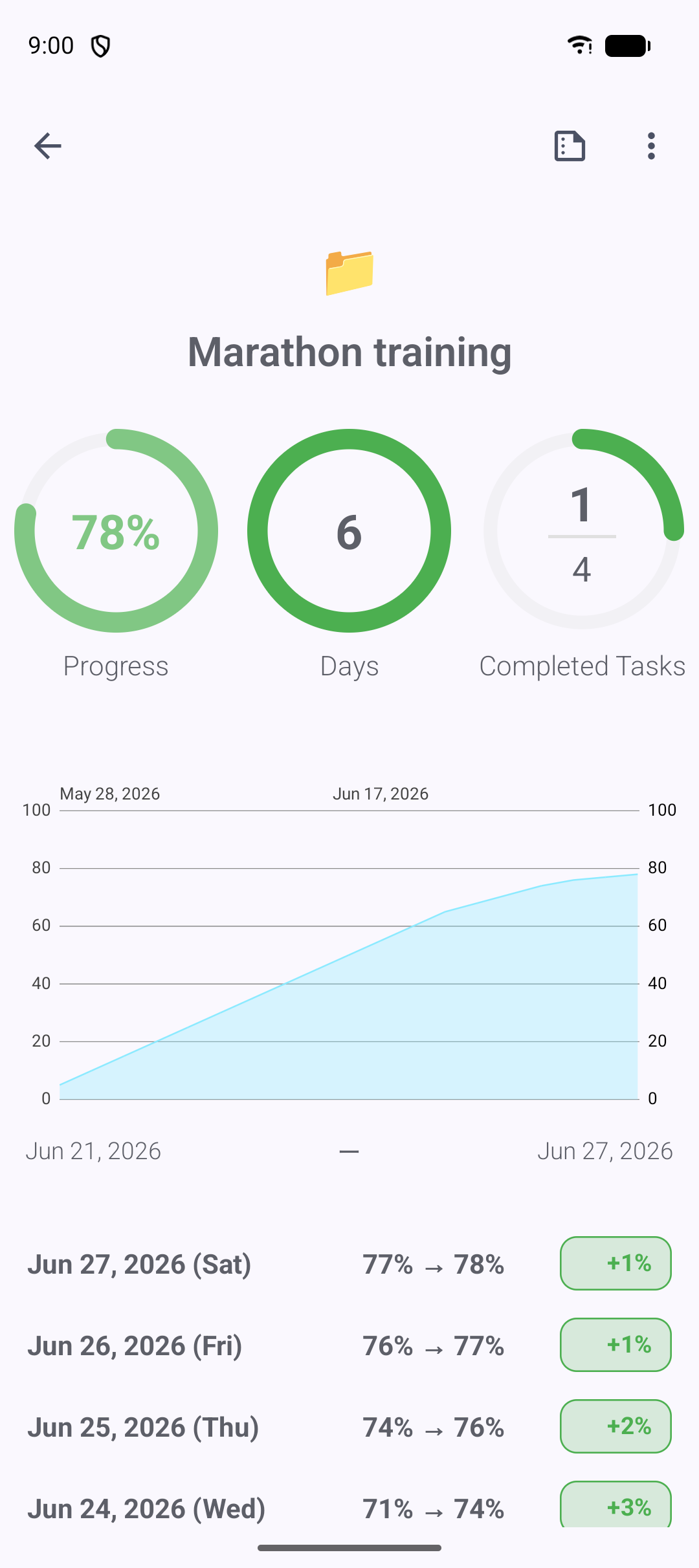
Progress records your percentage each day, so you can view a project's — or a single task's — progress over time as a line graph. Tap any point for the details of that day. It's a satisfying way to see the trajectory of a long effort and confirm you're really moving forward.
Great for: long-term goals where week-to-week change is easy to lose track of.
Export a summary as a PDF
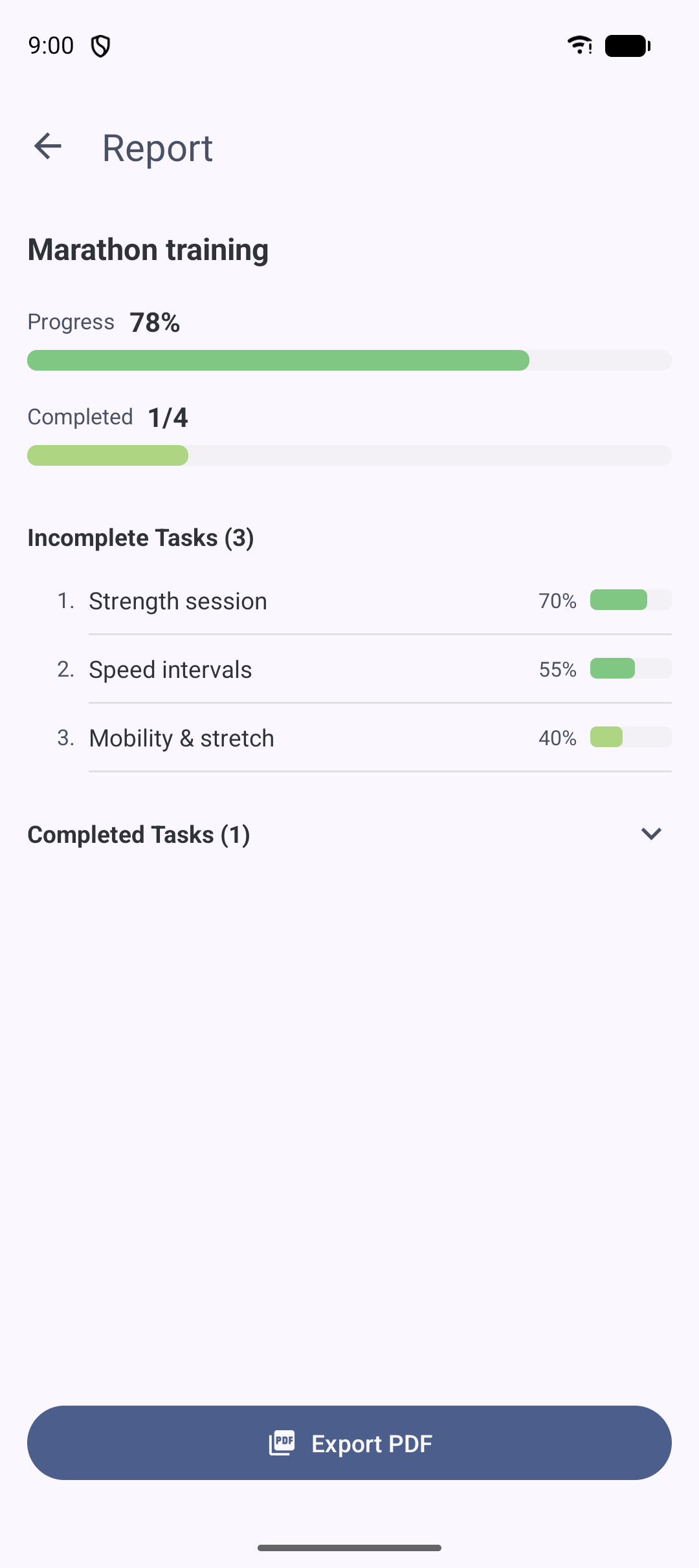
Generate a clean report for any project — overall progress, completed task count, due date, days remaining and the task list — and export it as a PDF to print or share. Handy for status updates, study logs, or keeping a record of what you accomplished.
Great for: students sharing study logs and anyone reporting progress to others.
Check progress without opening the app
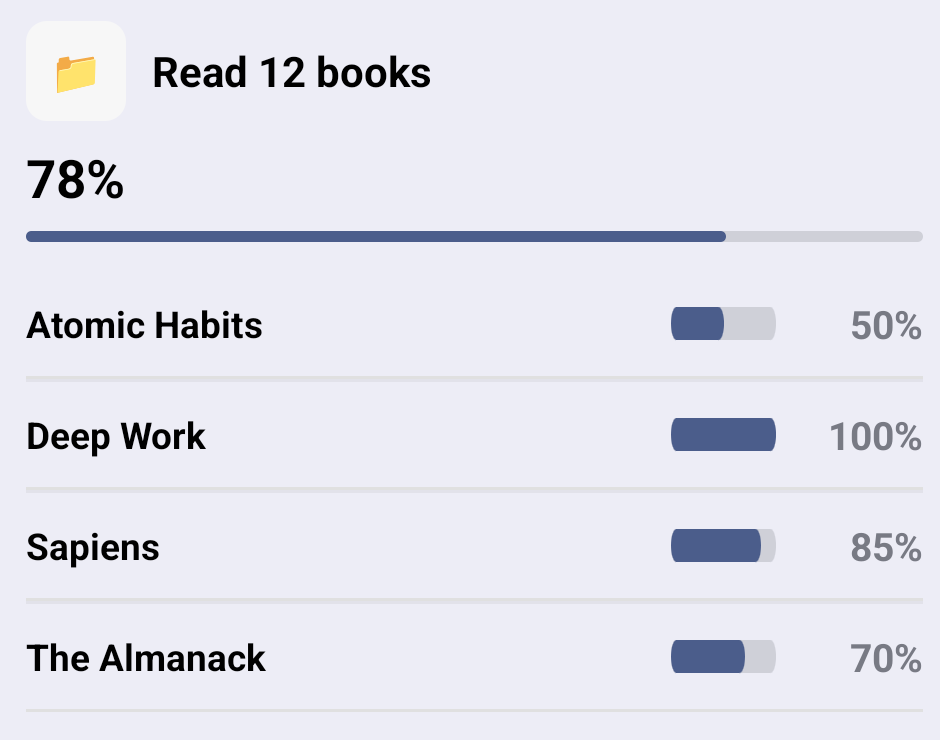
Add an Android home screen widget and see your progress at a glance. There are three: today's overall progress, today's tasks, and the progress and tasks of a project you choose. A quick glance at your home screen is often enough to stay on top of things.
Great for: keeping a goal visible so you don't forget it in day-to-day life.
And more
Reminders & notifications
Get a daily push reminder that bundles the tasks due today, at a time you choose.
Comments & file attachments
Attach images, videos and files to a task, and leave notes and comments to keep context together.
Search across projects
Find any task or subtask across all projects by keyword, then filter and sort the results.
Sync & backup
Data is stored on your device with cloud sync, and can be exported / imported as CSV or ZIP.
Archive
Tuck finished projects away to keep your list tidy, and restore them whenever you like.
Quick tasks
Capture a task instantly without choosing a project, then file it away later.
Free vs Expert Plan
Progress is free to use. Projects, tasks, subtasks, auto-calculated and weighted progress, deadline prediction, the timer, Today, widgets, notifications, search and sync are all included at no cost.
🏆 Project groups
Organize many projects into named groups. Expert Plan.
🏆 Deeper subtasks
Nest subtasks up to 6 layers deep for very detailed breakdowns. Expert Plan.
🏆 Customization & storage
Customize your progress bar color and get more attachment storage. Expert Plan.
Ready to see your progress?
Progress is free on Google Play. Want the details first? Read the how-to-use guide or the full user guide.